

Batch and expiry control from the shelf to the receipt.
CrownCore tracks batches and their expiry dates through receiving, stock and sale. The till takes the soonest-to-expire batch first and refuses an expired one.
Till to overview
Read the transcript
- 0:00 A cashier rings up three items, takes cash, and the change is worked out.
- 0:07 The sale is saved, ready for its fiscal receipt.
- 0:16 Moments later, it's in the management overview. Today's sales, the month's margin, top customers, and stock, all from the same records.
The right batch at the till
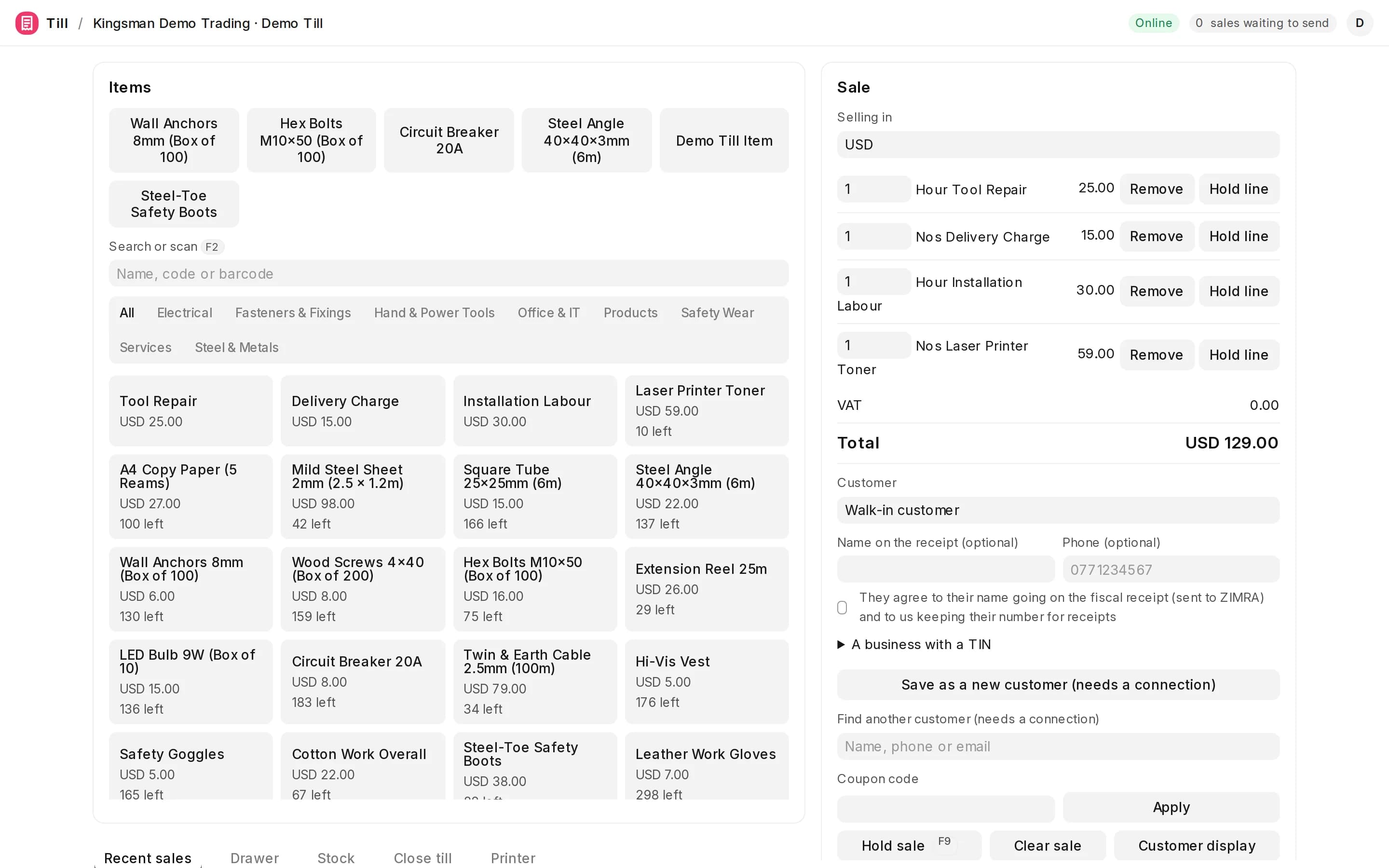
Batches are taken soonest-to-expire first, a line that spans batches is split by batch, and an expired batch is never sold. Items with serial numbers ask for each one as it's scanned.
Stock by branch and batch
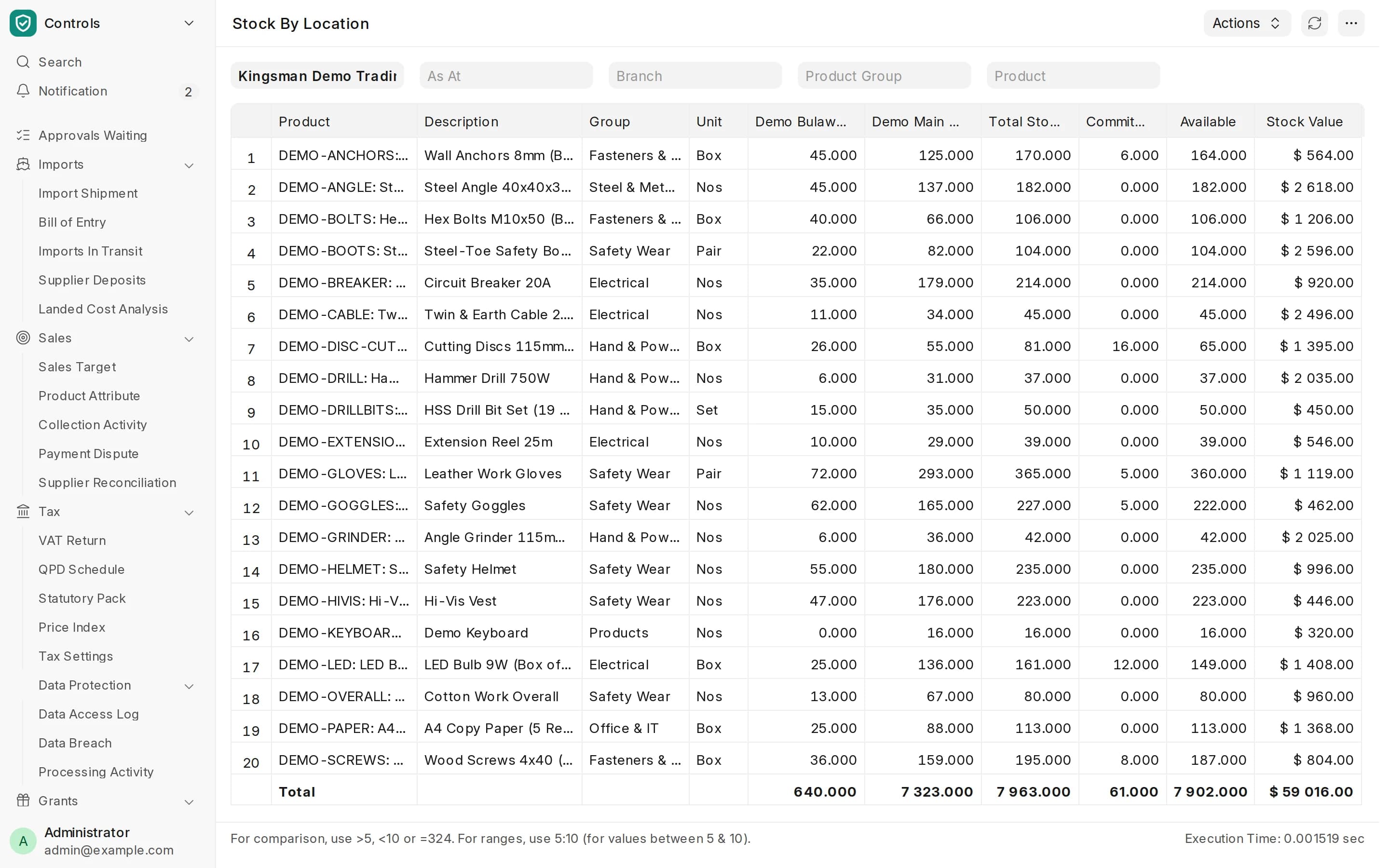
Products with a shelf life get expiry dates as they are received. Stock is kept per branch, with what is committed and what is available.
Fiscal receipts on every sale
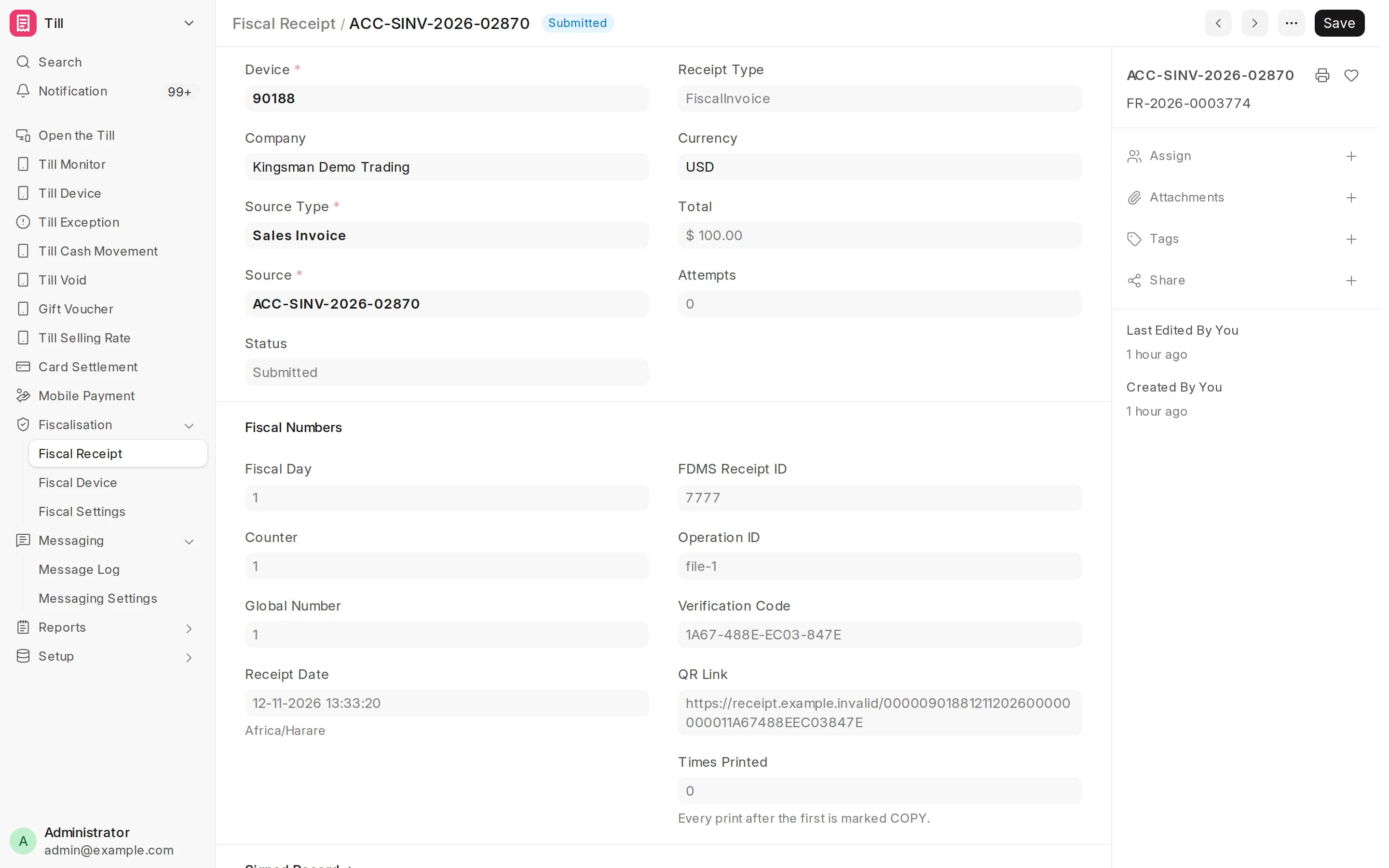
Each sale is fiscalised through ZIMRA FDMS, and a full tax invoice can be printed for a customer who needs one.
The local details, handled.
- Batch tracking turned on per product, with shelf life setting expiry dates
- Account customers on their own price lists and payment terms
- Each item's VAT treatment set on the item
- Returns and refunds only with permission, the way the money came
- ZIMRA FDMS certified fiscalisation; each business registers its own fiscal devices
Before you decide.
Does CrownCore handle prescriptions or MCAZ reporting?
No. CrownCore controls stock, batches, expiry, sales and the books. Prescription records and regulatory submissions stay in the systems you use for them today.
Can we see what is about to expire?
Yes. Batches carry their expiry dates, so stock can be listed by expiry and moved or returned before it lapses.
See it with your own workflow.
Kingsman Software Services · Lobengula Road, Harare, Zimbabwe · +263 717 751 701